
A BetWright sign up runs over a few short screens: an email and a password, your personal details and offer choices, then the terms and Agree & Join. After that come deposit limits and an optional first deposit. Your details go through an electronic age and identity check, and if it passes the account opens at the Basic level. Welcome offers need one more step, the Advanced upgrade. BetWright is for UK players aged 18 or over.
How to register at BetWright, step by step
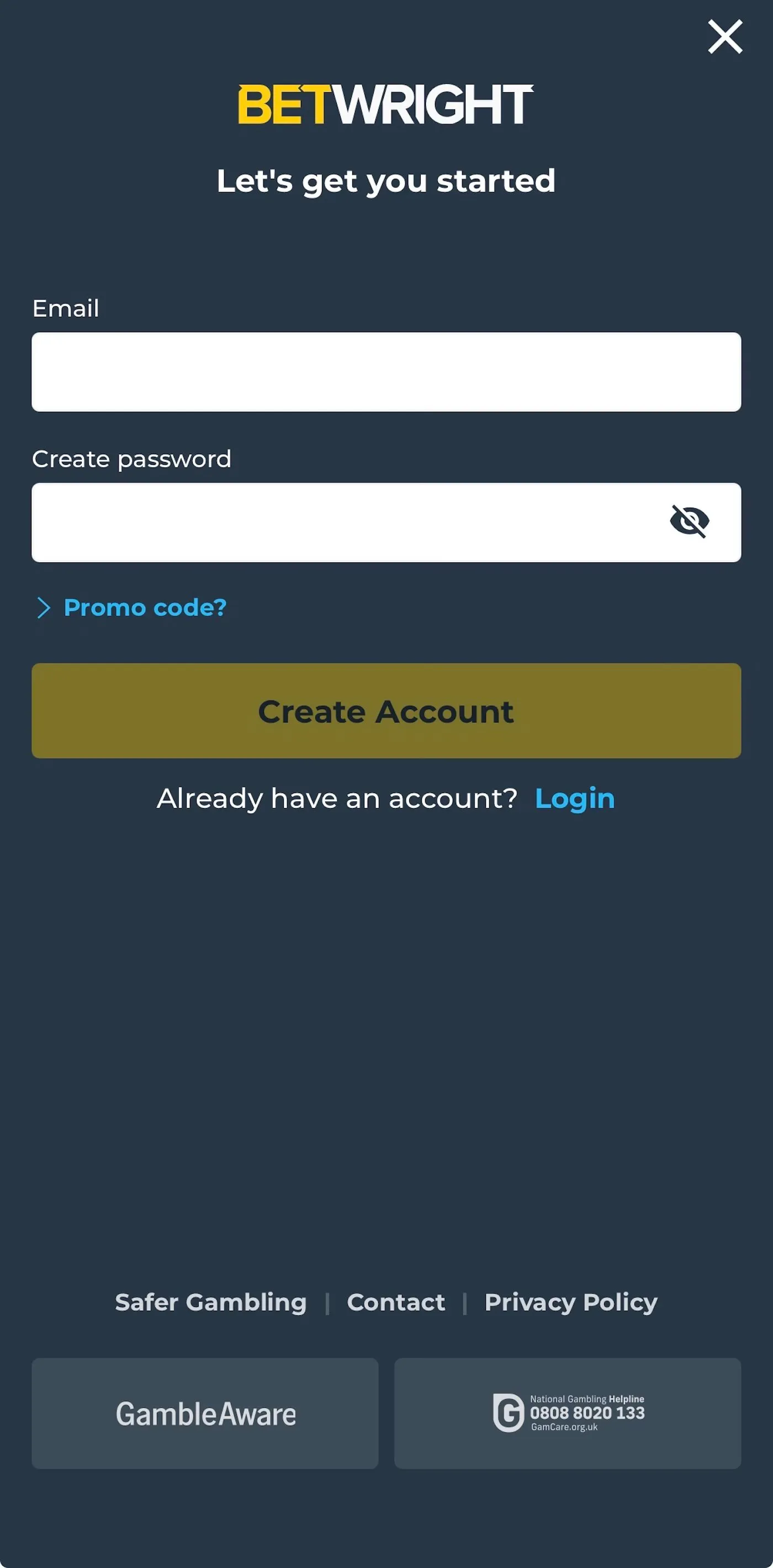
- Start the form. Choose Sign Up at betwright.com. The first screen, “Let’s get you started”, asks for an email and a new password, with a collapsed “Promo code?” field and a Create Account button.
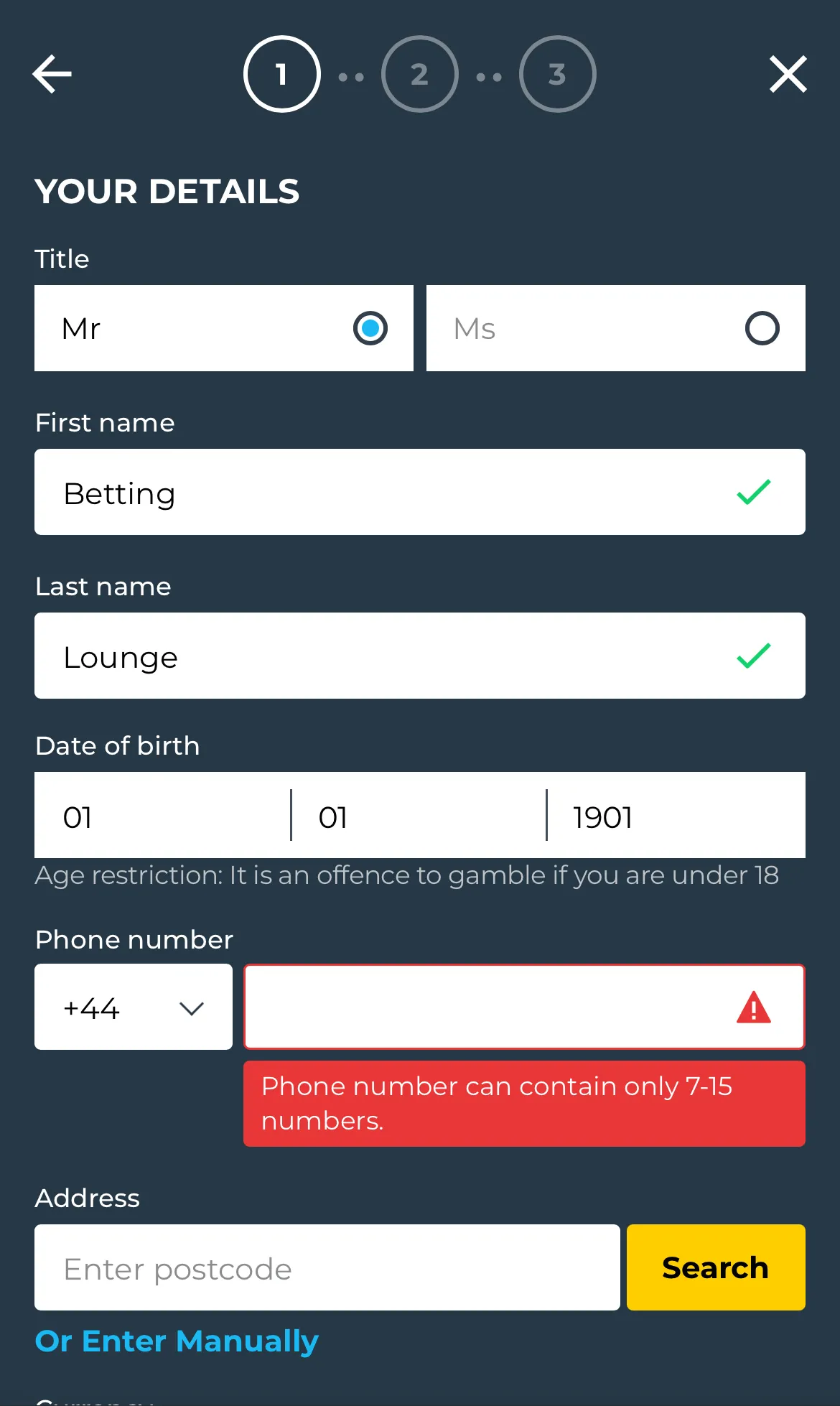
- Your details. Title, legal first and last name, date of birth, phone number, home address and currency.
- Offer choices. Yes or no to offers by email, SMS and phone.
- Agree & Join. Open the Terms & Conditions and the Privacy Policy, then tap Agree & Join.
- Safer gambling. Deposit limits for 1, 7 and 30 days, plus an optional reality check.
- First deposit. Deposit now or tap Skip.
- Verification. The electronic check usually passes straight away and opens a Basic account.
Upgrade to Advanced when you want a welcome offer (steps further down).
BetWright registration form: email, password and the promo code field
Desktop registration is shown as an illustration — the dossier pack has official mobile captures only for this step.
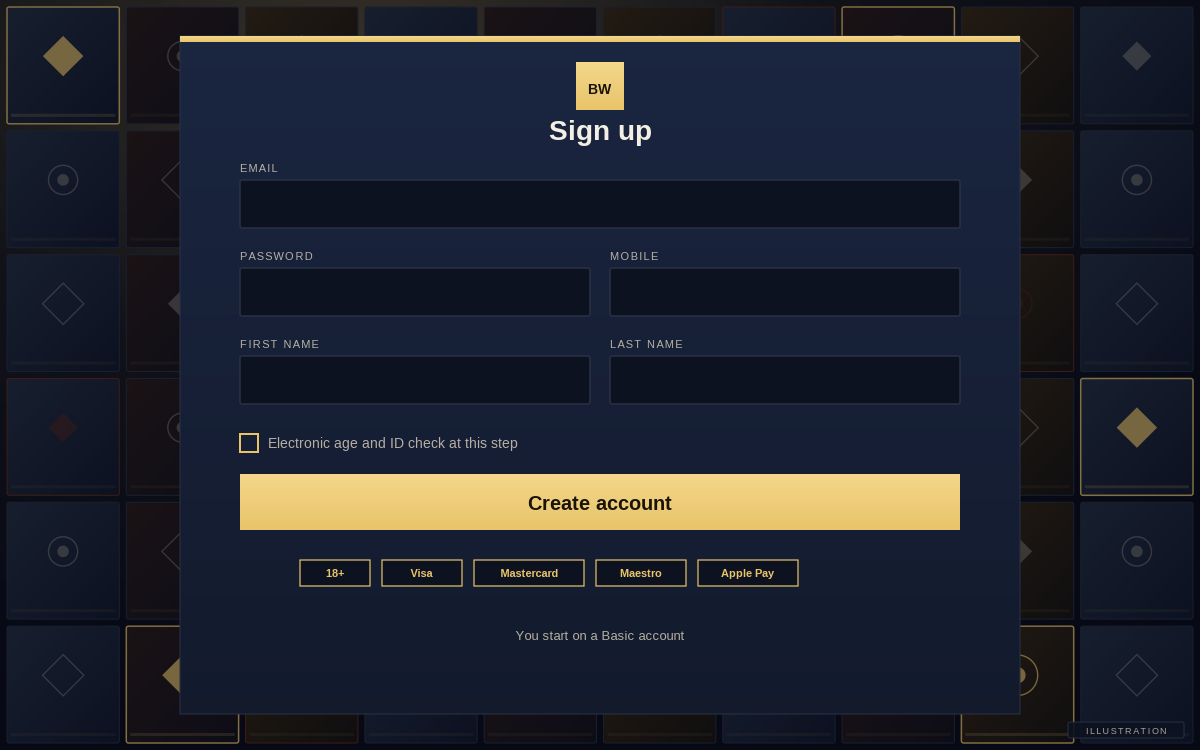
The email and password you choose here are your login from now on. Use an email you check, because the password reset link goes there. You can leave “Promo code?” blank; there are no active codes at the moment, and the welcome offer doesn’t need one. Already registered? The same screen has a Login link. The bottom of the form links to Safer Gambling, Contact and the Privacy Policy, plus GambleAware and the National Gambling Helpline (0808 8020 133).
The “Your details” step: name, address and phone
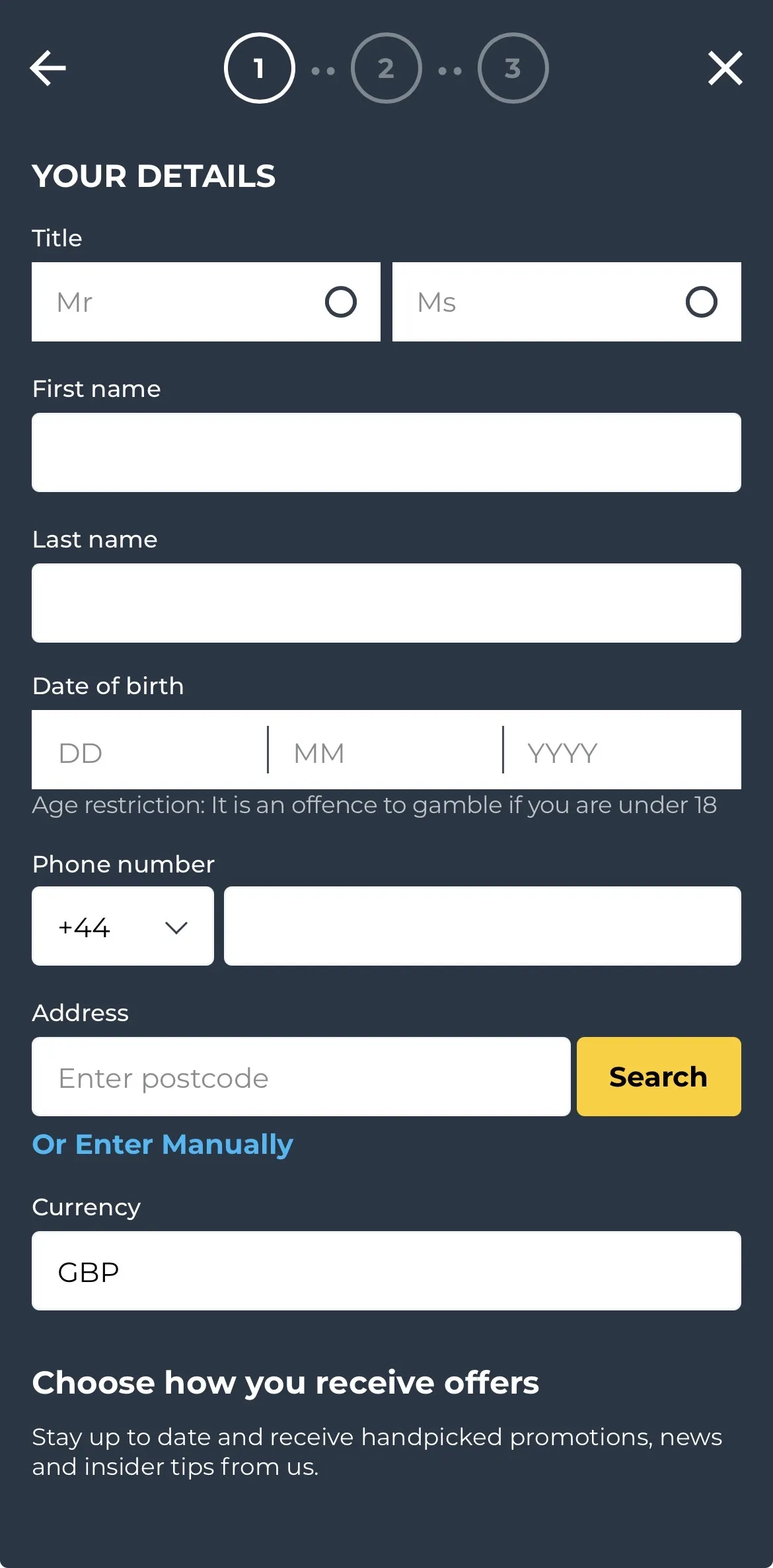
| Field | What to enter |
|---|---|
| Title | Mr or Ms |
| First and last name | Your legal names, as on your documents |
| Date of birth | Only adults (18+); the form carries an age-restriction warning |
| Phone number | Country code, then your mobile number |
| Address | Type your postcode and tap Search, or choose “Or Enter Manually” |
| Currency | Choose from the list |
These details feed the electronic check, so a nickname, a shortened first name or an old address can make it fail. The phone number matters later too: the Advanced upgrade sends an SMS code to it.
BetWright sign up on mobile
On a phone, open betwright.com in your mobile browser and tap Sign up. Postcode search is quicker than typing an address on a small screen, and the phone field takes your number with its country code. Once the account exists, the same email and password work in the BetWright app.
Offer choices and Agree & Join
After your details, the form asks how you’d like to hear about offers: email, SMS and phone, each with its own yes or no. The last screen of the form links to the Terms & Conditions and the Privacy Policy; tapping Agree & Join creates the account.
Deposit limits and reality check after you join
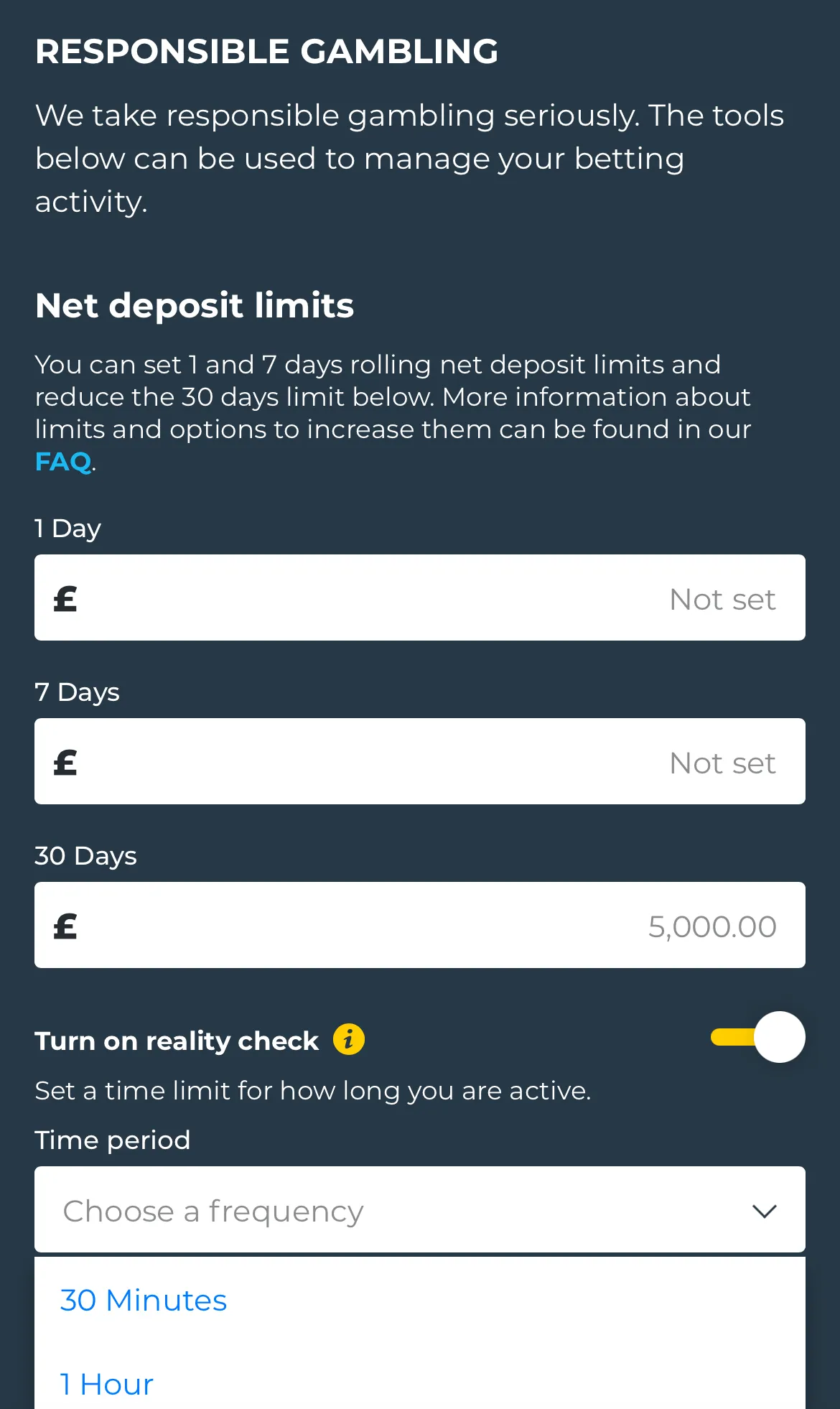
Straight after Agree & Join comes a safer gambling screen, so limits can be in place before you’ve deposited anything. There are deposit limits for 1 day, 7 days and 30 days, and a reality check that reminds you how long you’ve been playing. The 30-day field can show a pre-filled 5,000.00; change it to a figure that fits your budget. Next comes the first deposit, which you can skip. You can change limits later in your account, which also has a net deposit budget calculator.
Create a BetWright account: the electronic check
BetWright verifies age and identity electronically when you register, so most people don’t upload anything at this stage. If the check can’t match you, you’ll get an email with a link, or you can go to Account > Upgrade to Basic. Either way you upload an identity document and take a selfie for the liveness check. In most cases that’s approved automatically; if not, the compliance team reviews it and contacts you if it needs more. There’s no published timeline for that review.
Until verification is complete, the account can be suspended or restricted. If verification finally fails, BetWright returns your balance up to the value of your initial deposits, within a reasonable time, and winnings above that aren’t paid out. That’s the main reason to finish the check before you play.
BetWright account levels: Basic and Advanced
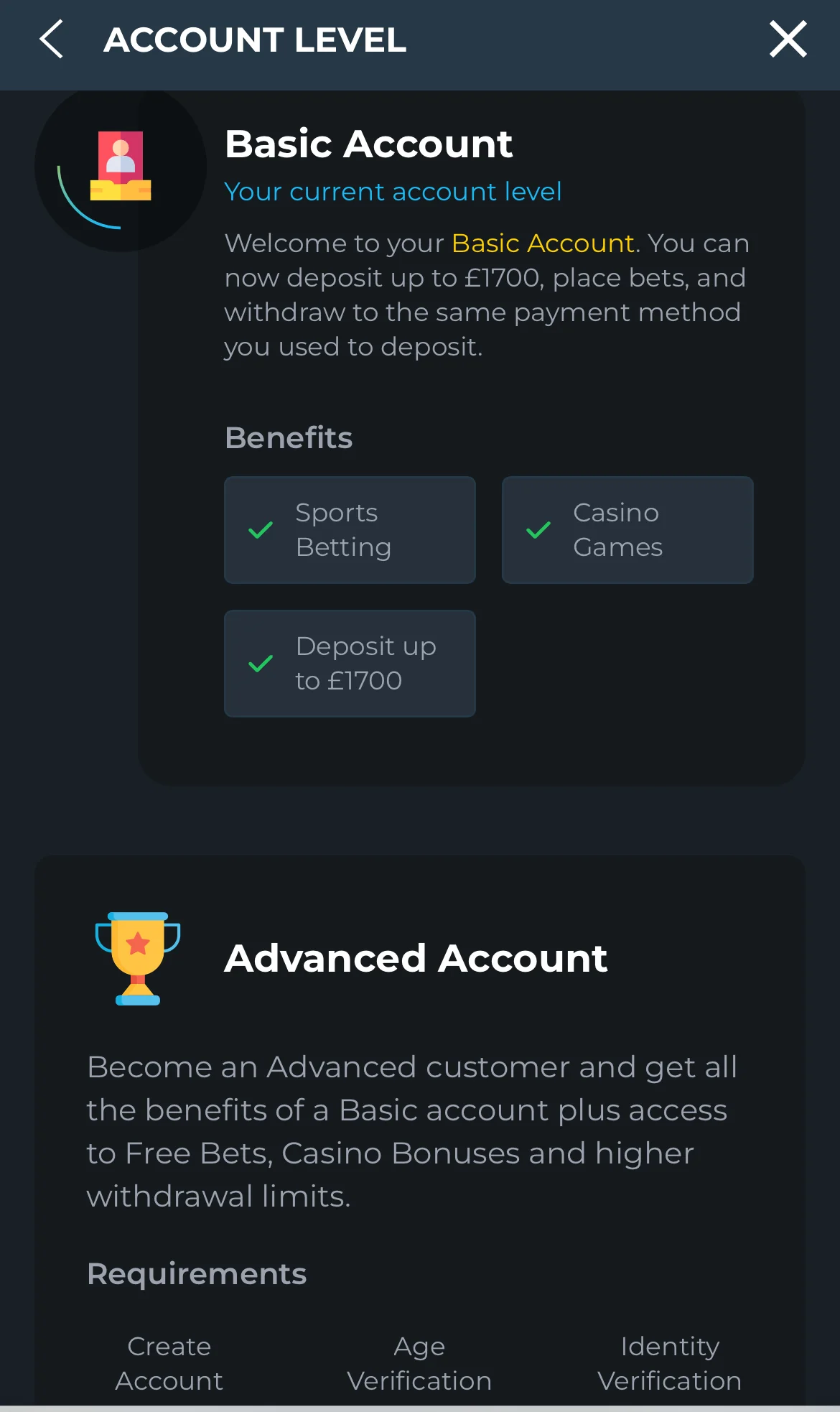
Basic is the level you start on once your age and identity are checked. Advanced is the level that opens the Bangers N’Cash welcome offers and the Daily Wheel. Above Advanced sit Premier and Prestige; Advanced, Premier and Prestige customers get offers through the Bangers N’Cash rewards hub.
How to upgrade to a BetWright Advanced account
Desktop upgrade flow is an illustration. The official mobile capture of Upgrade to Advanced sits in the article above or below this block.
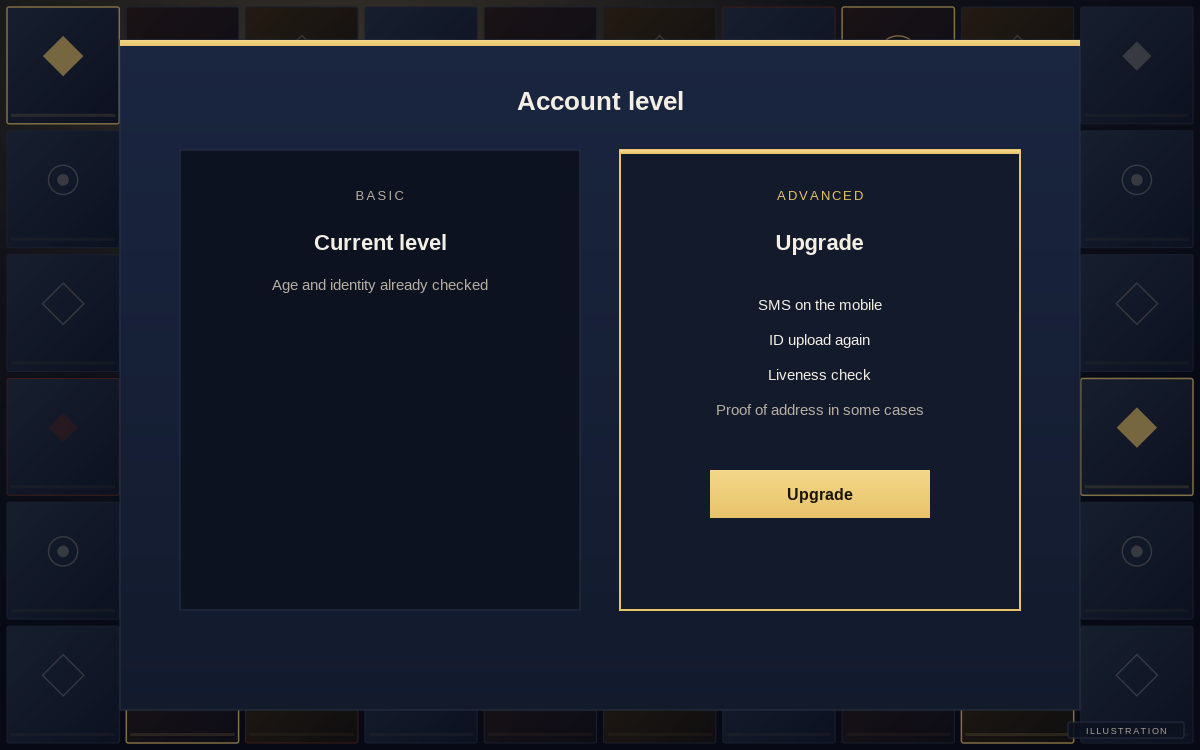
- Go to Account > Upgrade to Advanced.
- Confirm your mobile number with the SMS code.
- Upload your identity document again.
- Complete the liveness check with your phone camera.
- Send proof of address if you’re asked for it.
In most cases the upgrade is approved automatically. If it isn’t, compliance gives it a quick review and contacts you if anything else is needed. No timeline in hours or days is published.
BetWright verification: what can be asked and when
| Stage | What happens |
|---|---|
| Registration | Electronic age and identity check |
| If the electronic check fails | Email link or Account > Upgrade to Basic: ID upload and liveness selfie |
| Advanced upgrade | SMS code, repeat ID upload, liveness check, sometimes proof of address |
| Further checks | Debit card statement, a photo of the card and a driving licence or passport, sent to compliance@betwright.com |
| Before a withdrawal | Verification must be complete, or the payout can be held |
BetWright registration problems and fixes
| Problem | Fix |
|---|---|
| “Phone number can contain only 7-15 numbers.” | Type digits only, with no spaces, dashes or brackets |
| Address not found by postcode | Use “Or Enter Manually” and type it as it appears on your bills |
| Electronic check fails | Make sure the name and date of birth match your ID, then upload documents when asked |
| Document rejected | Send a clear, readable photo of the whole document |
| Proof of address rejected | Use a recent document showing your full name and full address |
| ID rejected | Use an ID that hasn’t expired |
If you’re stuck, contact support by live chat during business hours or by email at support@betwright.com.
One BetWright account per person
The rule is short: “Customers may open only one account.” A duplicate can be closed as soon as it’s found, without notice. When that happens, bonuses, free bets and winnings on it are voided, and deposits go back to the payment method they came from. Promotions work the same way: one per person, family, address, email, phone number, card or e-wallet, and device. If you’ve forgotten an old account, recover it through BetWright login rather than opening a new one.
How to join BetWright safely
betwright.com is the only active domain on the UK Gambling Commission licence, and the apps come only from the App Store (id6736365545) and Google Play (bet.betwright.android). Sign-up pages on other addresses aren’t run under this licence, so don’t enter your details there. Codes posted on other sites don’t unlock anything at BetWright.
After you join
With an Advanced account you can choose one of five Bangers N’Cash options: up to 100 free spins or up to a £20 free bet, after a £20 deposit (£10 for Acca Advantage). Rewards build up as you play, and what they win is paid as cash with no wagering. 18+, T&Cs apply. All five are compared in the BetWright sign up offer guide. To sign in later, see BetWright login.
FAQ
Is a promo code required at registration?
No. That field can stay empty; the welcome offer is claimed by opting in after the Advanced upgrade.
Can I register without a phone number?
No. A phone number is part of your details, and the Advanced upgrade sends an SMS code to it.
How long does verification take?
The electronic check is usually instant. A manual review has no published timeline, and compliance contacts you if it needs anything.
Can I change the limits I set at sign-up?
Yes. Deposit limits stay editable in your account after registration.
Is a second BetWright account allowed?
No. Only one account per person is allowed, and a duplicate can be closed with its bonuses and winnings voided.
Can I sign up from outside the UK?
BetWright is built for UK players aged 18 or over.
Safer gambling
18+ only. Decide on a budget before your first deposit and keep the limits you set at sign-up. Self-exclusion lasts six months to five years and a play break from 24 hours to 6 weeks. GamCare, BeGambleAware and the National Gambling Helpline (0808 8020 133) offer free, confidential support, and GAMSTOP lets you self-exclude from UK gambling sites.